Live · Demo on request Network management for FTTH operators

NetOps NMS

Every OLT, ONT and customer on one live screen.

A network management system for EPON FTTH networks. It reads your OLTs, watches every ONT’s status and light level, tells your team on Telegram which customers a fault reaches, and backs up every OLT’s configuration every night.

Deployed privately for each operator, reachable only over your own secure tunnel.

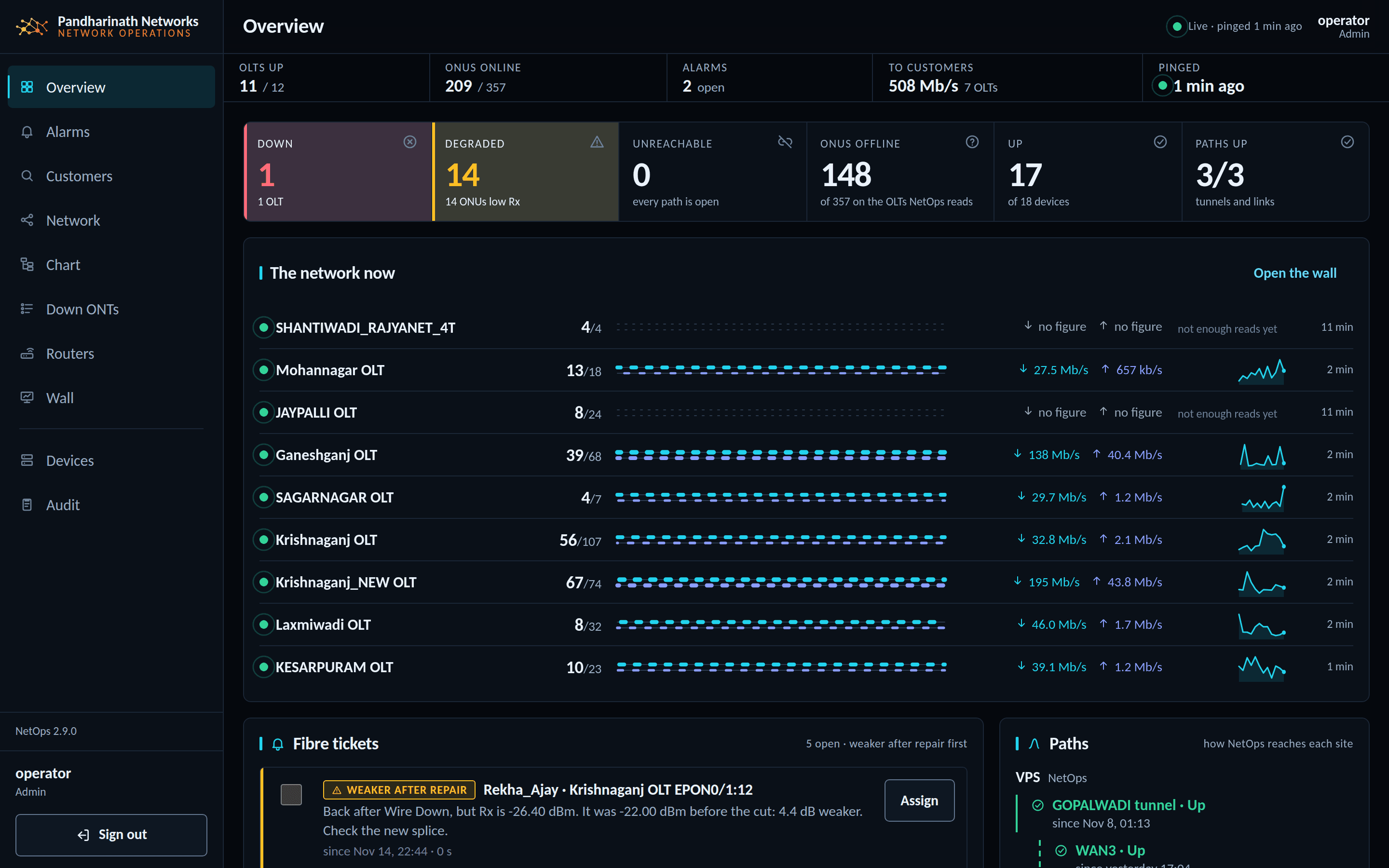
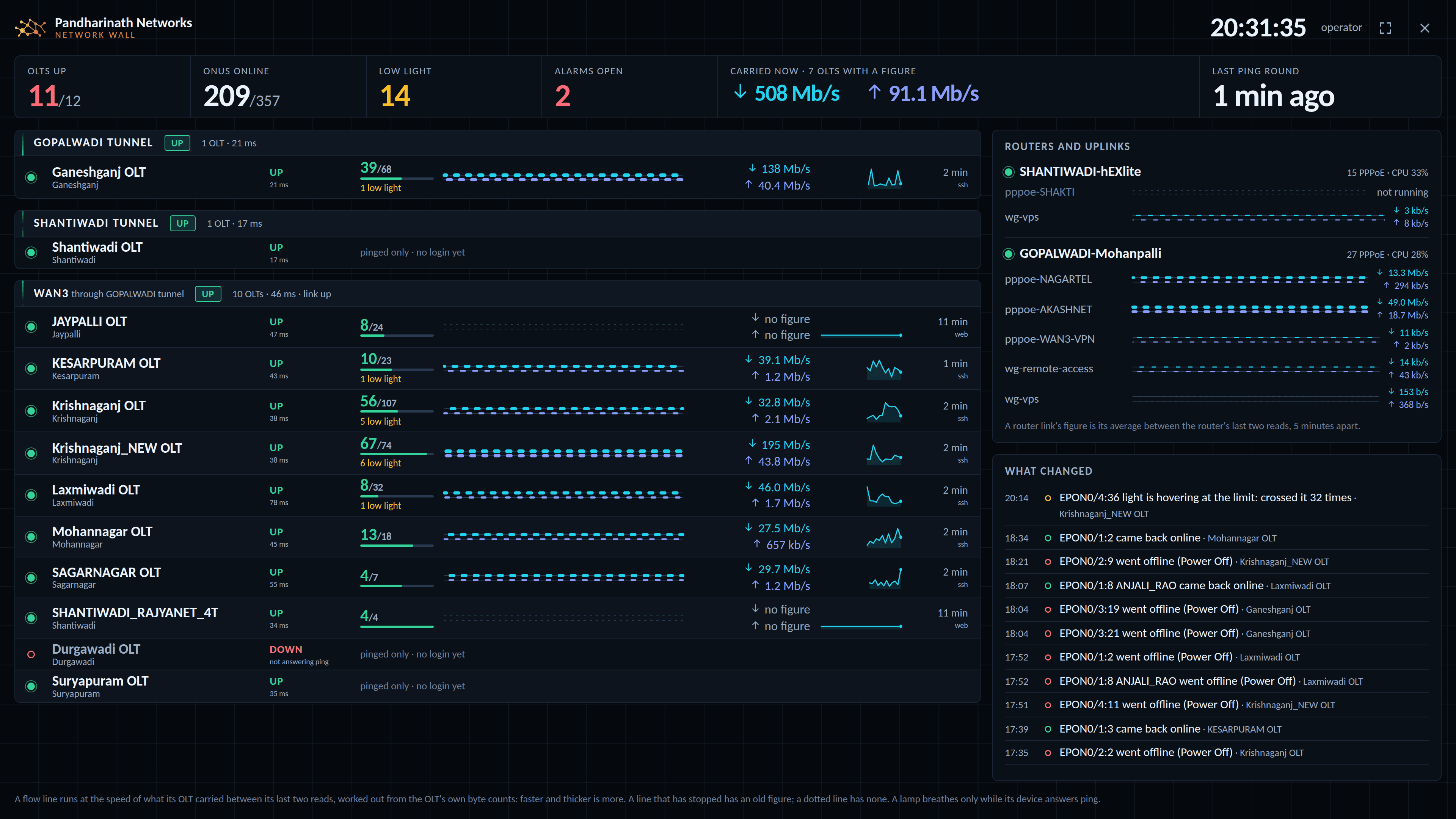
NetOps wall view: OLTs up, ONUs online, low-light count, open alarms and live traffic per OLT, with routers, uplinks and a feed of what changed

Inside NetOps NMS

Built for LCOs, TIPs and local FTTH operators who run their own OLTs and want to know about a fault before the customer calls.

Live OLT and ONT reads

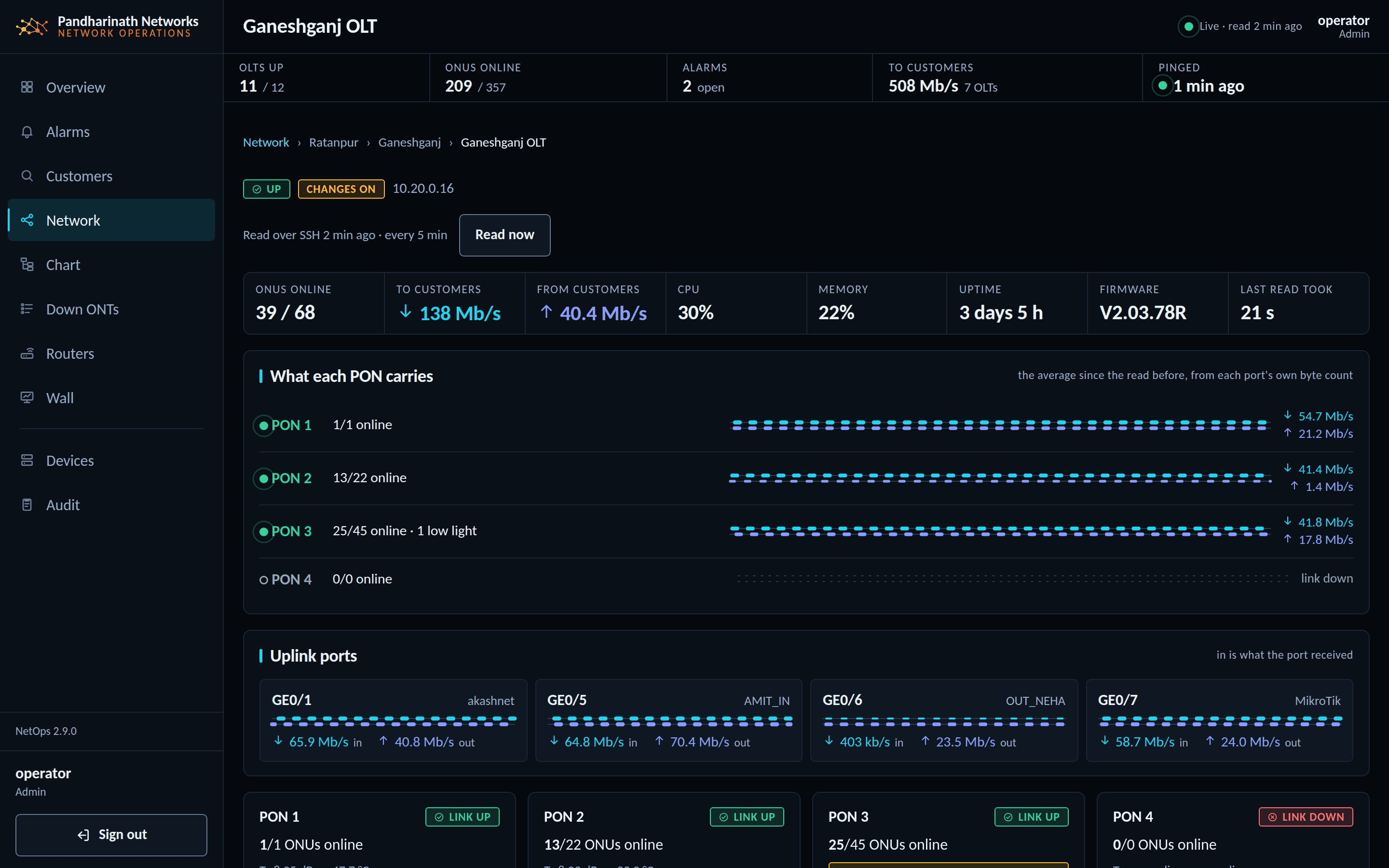
OLTs on supported firmware are read over SSH every 5 minutes, others through their web pages every 15, and every device is pinged each minute. Each ONT shows its status, receive and transmit power, distance, temperature, make and model.

Alerts that name customers

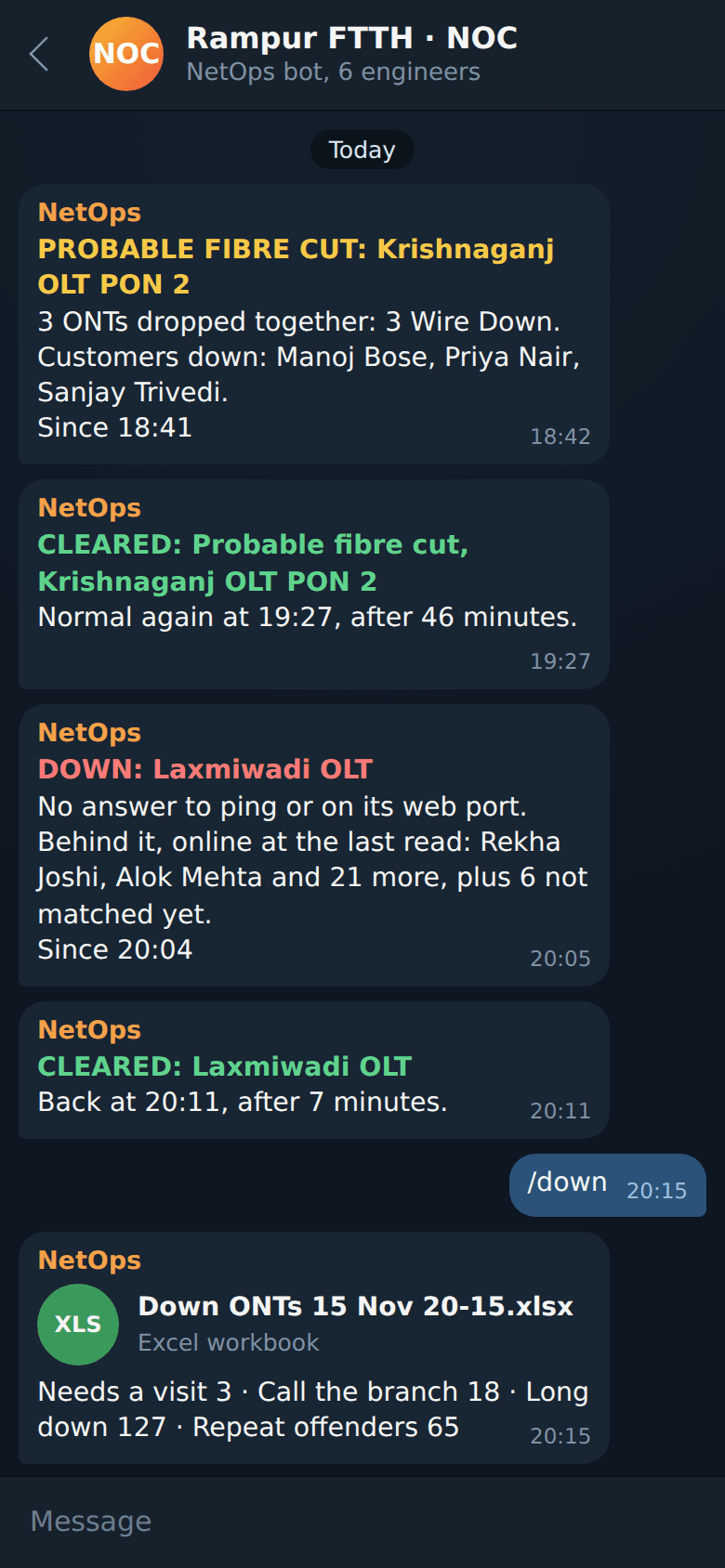
One Telegram message when a fault starts and one when it clears, naming the customers it reaches. Several ONTs dropping together on one PON is flagged as a probable fibre cut.

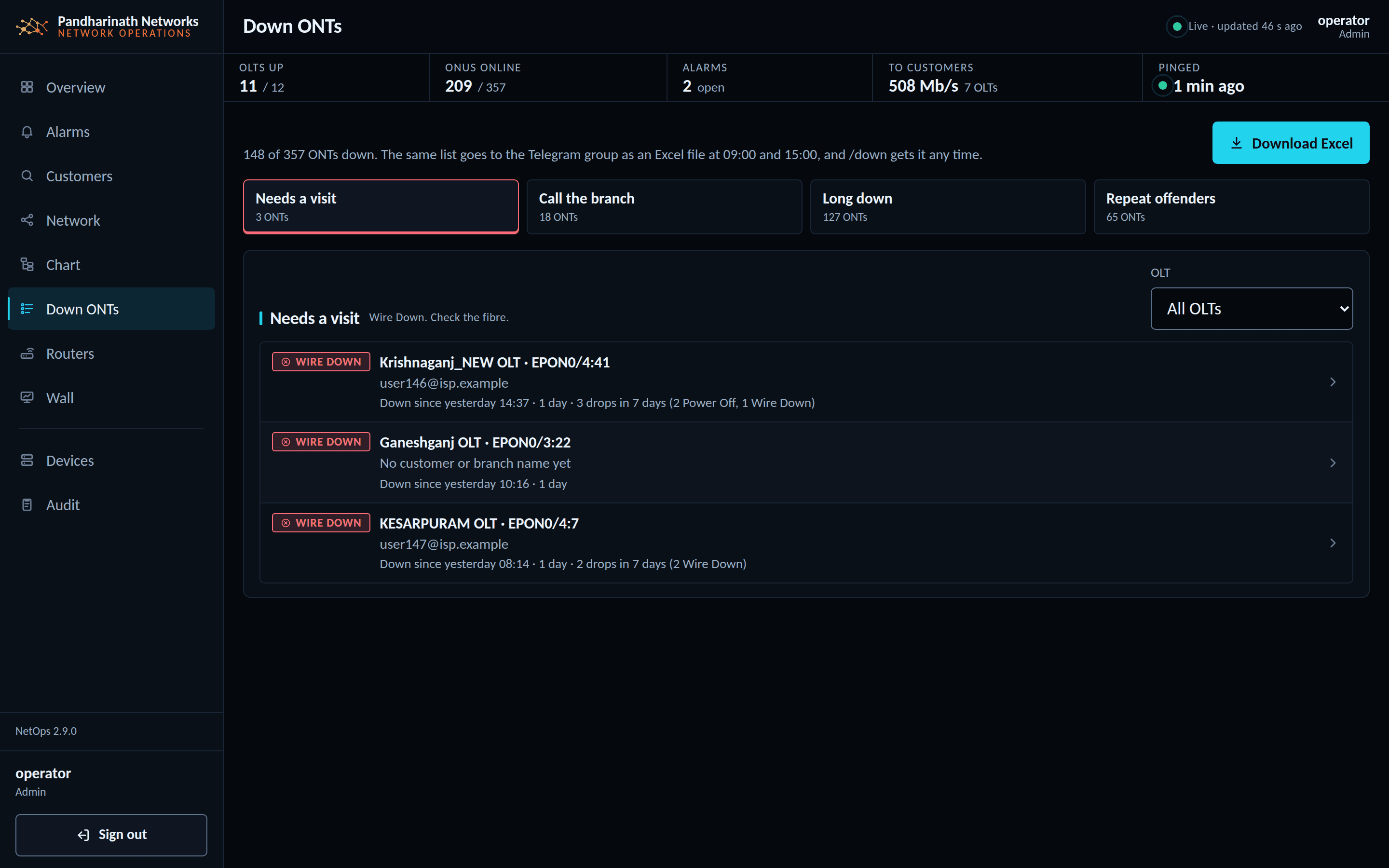
Down ONTs, sorted for action

Needs a visit, call the branch, long down and repeat offenders, with the same list sent to your group as an Excel file at 09:00 and 15:00, and on demand with /down.

NOC wall view

A full-screen wall for the control-room TV: every path, OLT and router, what each OLT carries right now from its own byte counters, and what just changed.

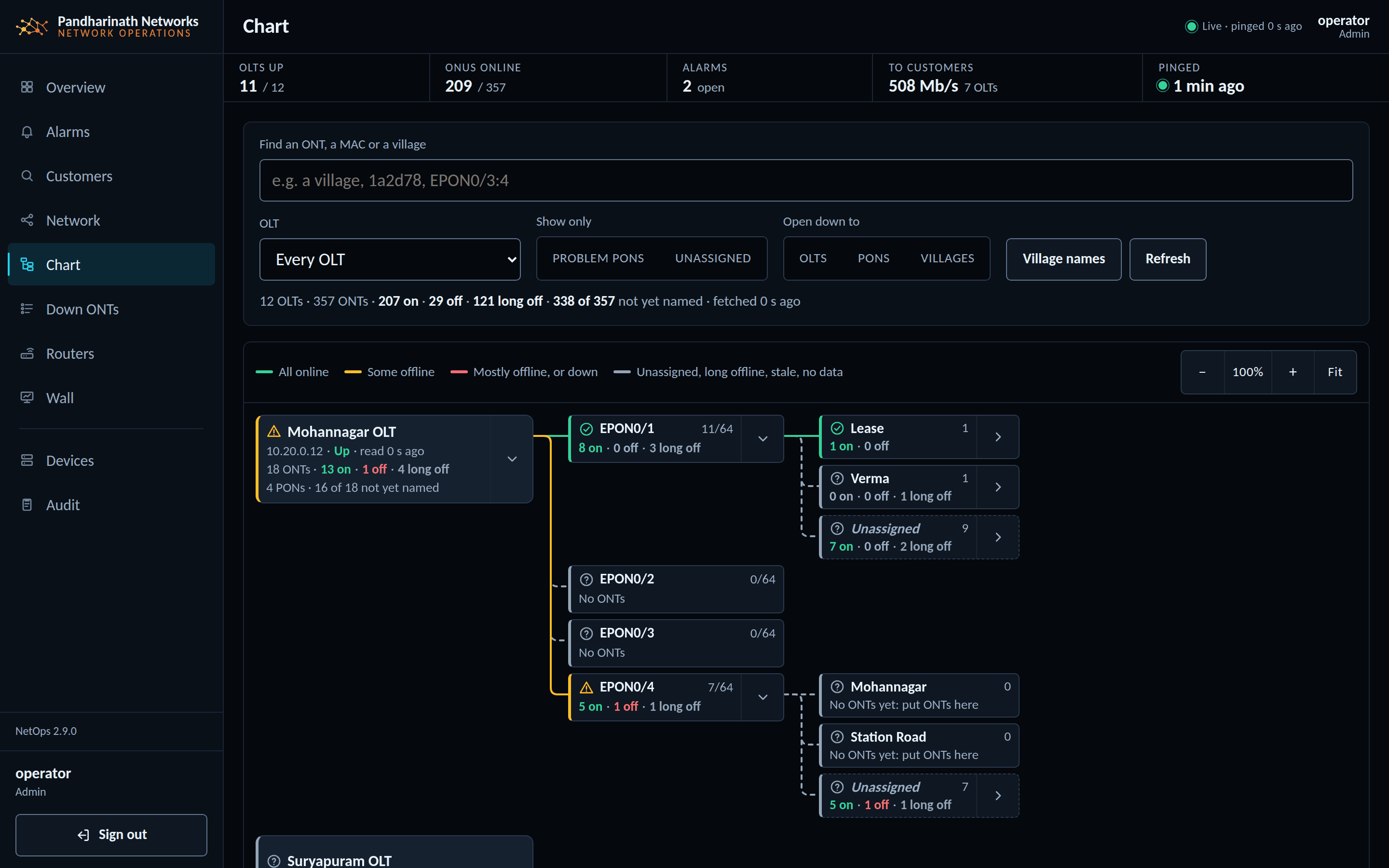
Chart from OLT to village

Your network as a tree, from OLT to PON to village to ONT, with problem PONs highlighted. Find any ONT by name, MAC or village in seconds.

Customer ONT settings, safely

Each ONT’s settings laid out like the OLT’s own pages: WAN and VLAN, PPPoE login, WiFi names and passwords, and TR-069, plus a restart. Every change shows exactly what will change before you confirm, and works only on OLTs where you have switched changes on.

Real screens, fictional names

The console, as an operator sees it.

NetOps wall view: OLTs up, ONUs online, low-light count, open alarms and live traffic per OLT, with routers, uplinks and a feed of what changed

The wall for the control-room TV: every path and OLT, live traffic from each OLT’s own counters, and what just changed.

Live Telegram alerts

Your team hears about a fault before the customer calls.

NetOps posts to your team’s Telegram group the moment a fault starts, and again when it clears, naming the customers it reaches.

  • Faults with namesOLT down, probable fibre cut, probable power cut, many ONTs down, an important customer’s ONT down, a link weaker after repair.
  • One message to start, one to clear“CLEARED” comes with how long it lasted, so nobody chases a fault that has already gone.
  • Down-ONT Excel twice a dayAt 09:00 and 15:00, sorted into needs a visit, call the branch, long down and repeat offenders. Type /down for it any time.
  • Quiet during planned workMark planned work on a device or link: its faults still show on screen, but send no Telegram.
NetOps alerts in a Telegram group: a probable fibre cut naming the customers down, its CLEARED message, an OLT down naming who is behind it, and the Down ONTs Excel sent after the /down command
NetOps’s real message format, with sample names.

Charts and history

Every read is kept, so you can see what changed.

Every OLT read is kept for 180 days and every ONT’s light level for 30, alongside each night’s configuration backup.

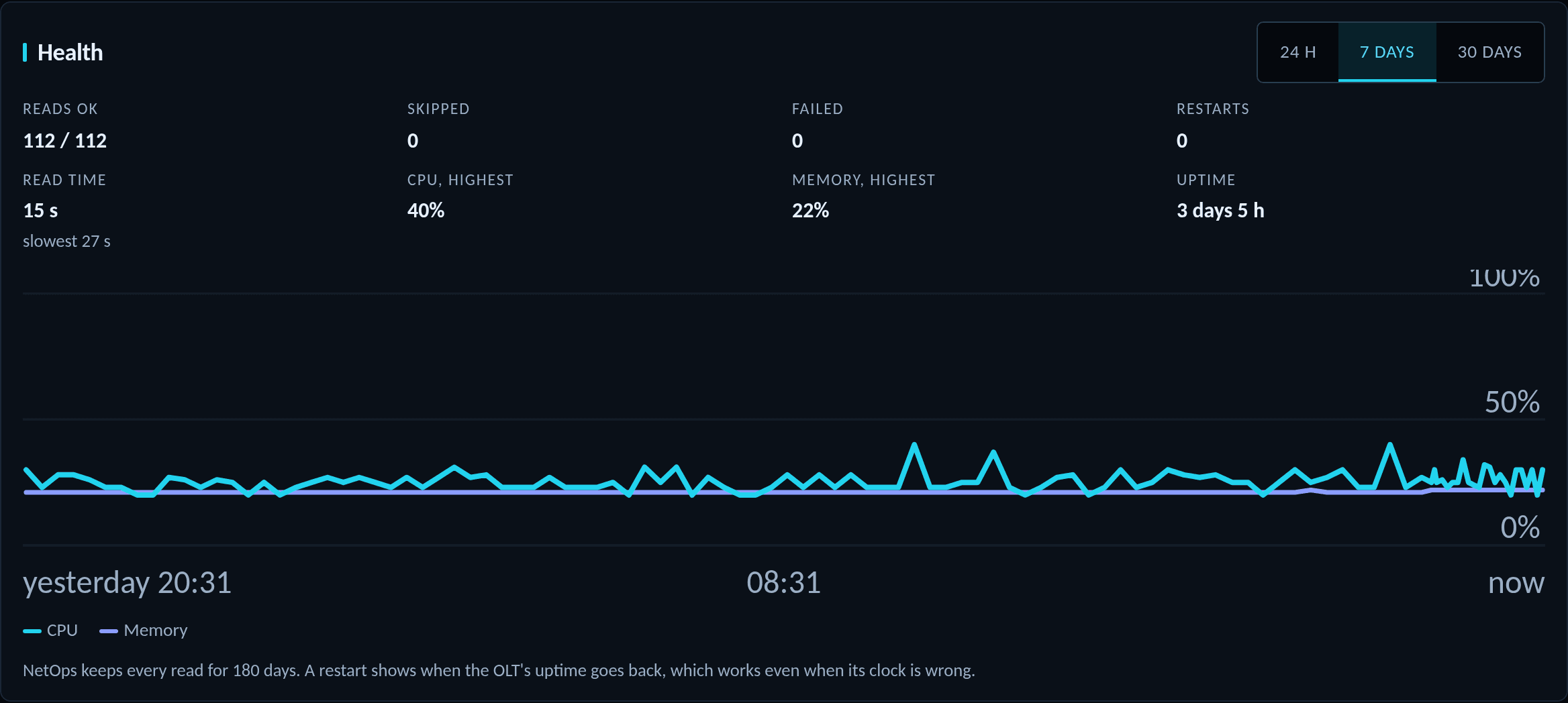
OLT health over 7 days: reads OK 112 of 112, read time, highest CPU and memory, uptime, and a CPU and memory chart
OLT health. Reads, failures, restarts, CPU and memory over 24 hours, 7 or 30 days. A restart shows even when the OLT’s clock is wrong.
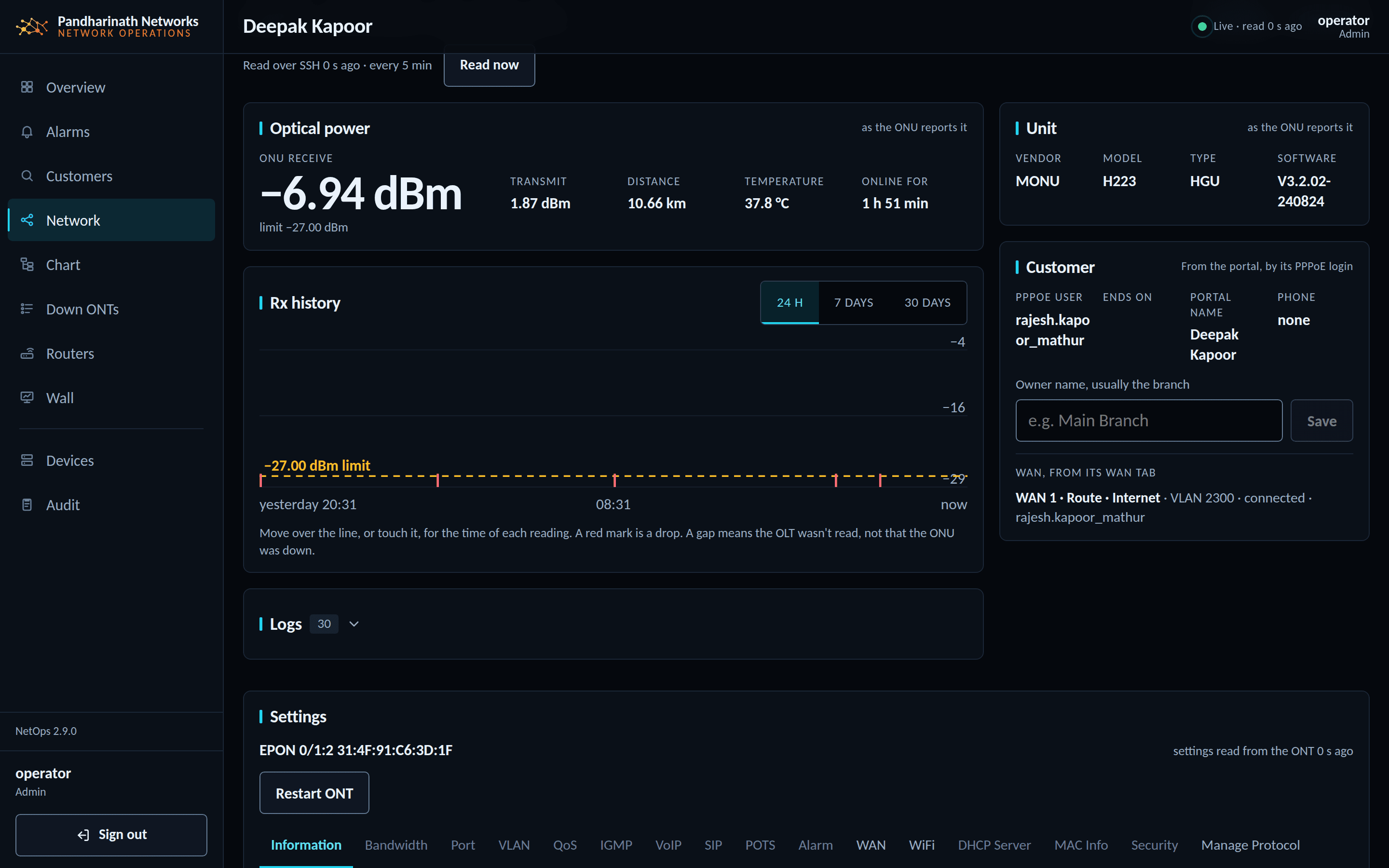
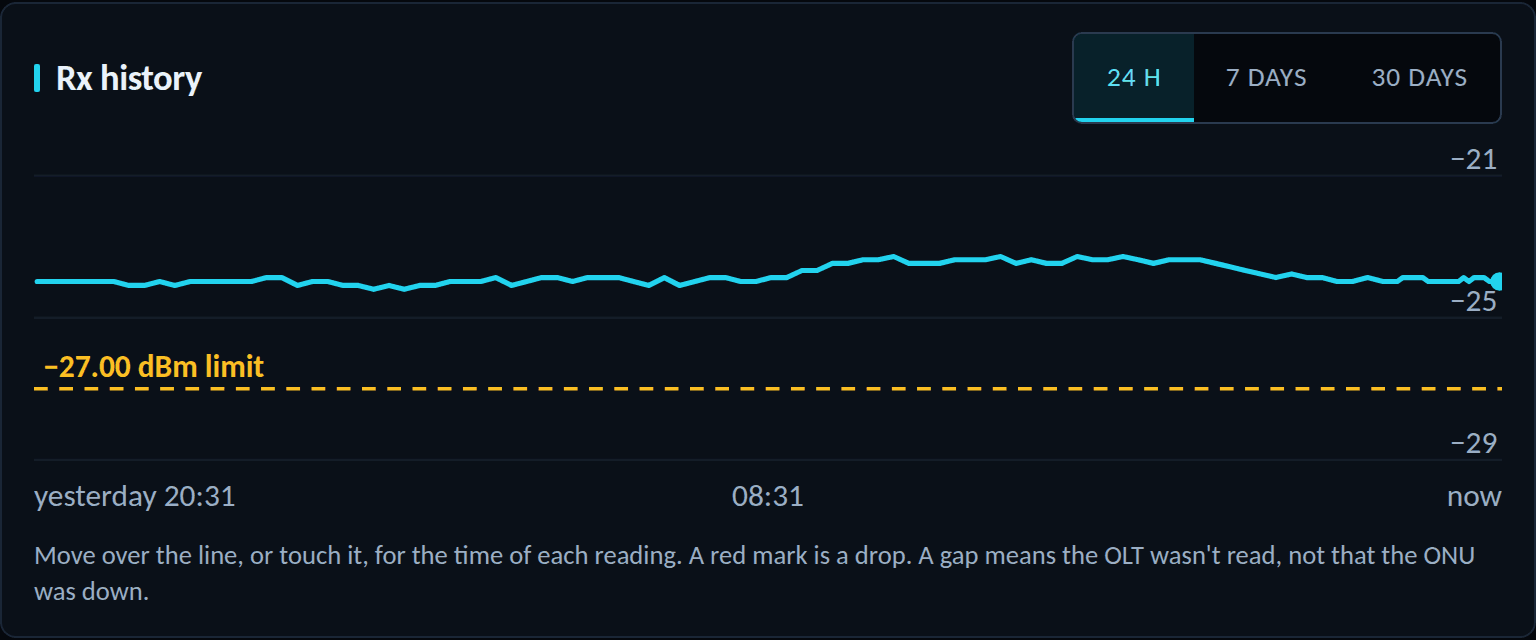
One ONT's receive power over 24 hours against the −27 dBm limit
Rx history per ONT. Light level against its limit, with every drop marked, over 24 hours, 7 or 30 days.
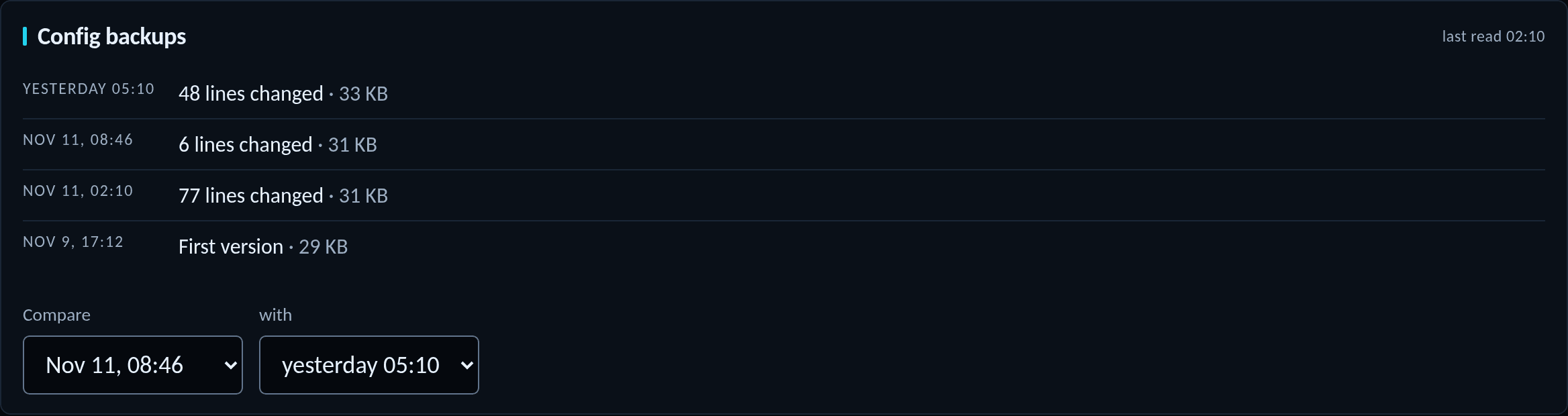
Config backups list for one OLT, with lines changed and size per version, and a compare picker
Nightly config backups. Every OLT’s configuration saved each night, with what changed between any two versions.

Customer ONT settings

Fix a customer’s WiFi or VLAN without a site visit.

Each ONT’s settings are laid out like the OLT’s own pages. Change the WAN and VLAN, the PPPoE login, WiFi names and passwords on both bands, or TR-069, and restart the ONT, from the office or your phone.

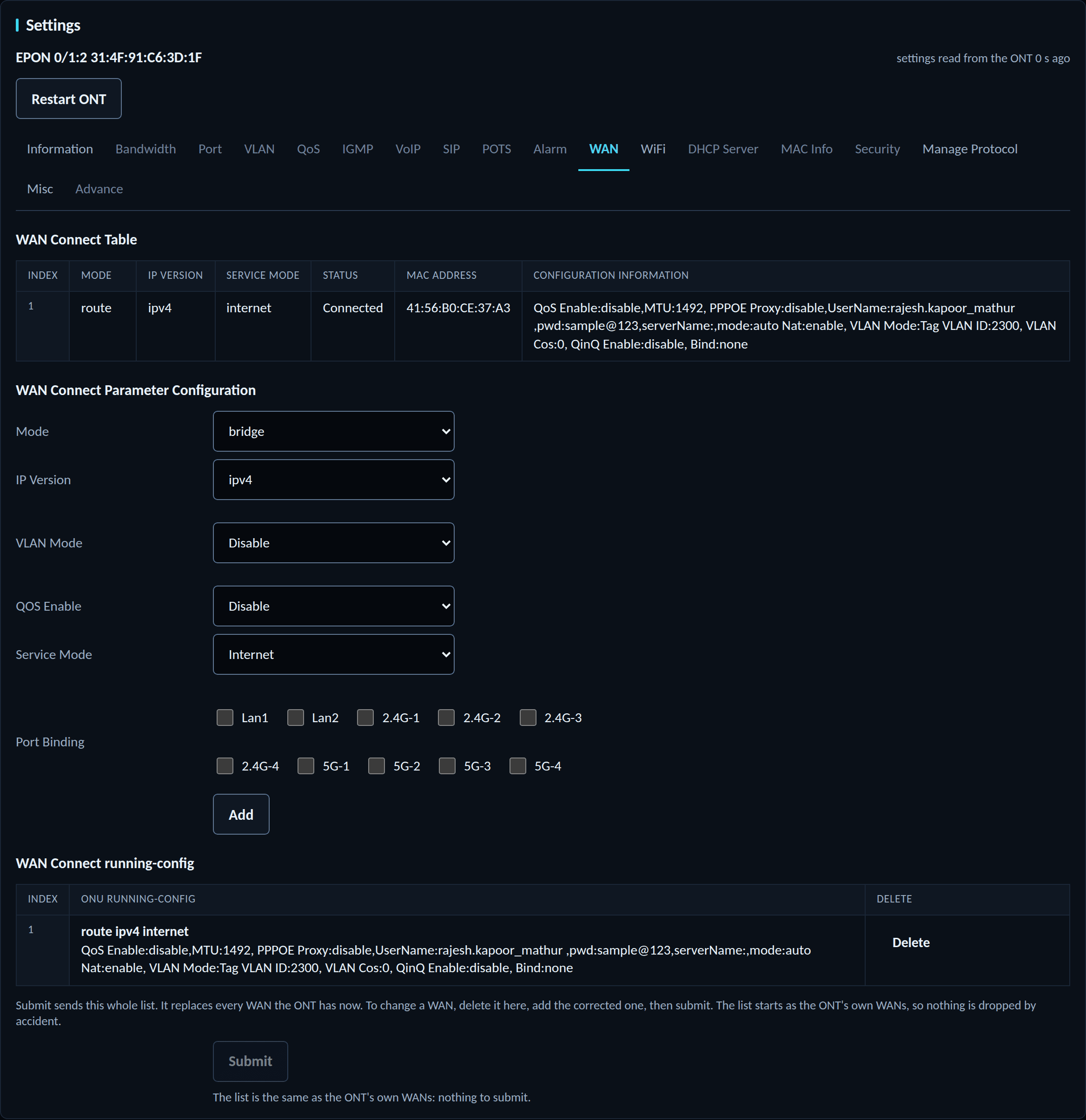
An ONT's WAN tab: the WAN connect table with route mode, PPPoE login and VLAN ID 2300, and the form to add or change a WAN
WAN and VLAN. Mode, VLAN mode and ID, PPPoE login and port binding. The whole list is shown before it is sent, so nothing is dropped by accident.
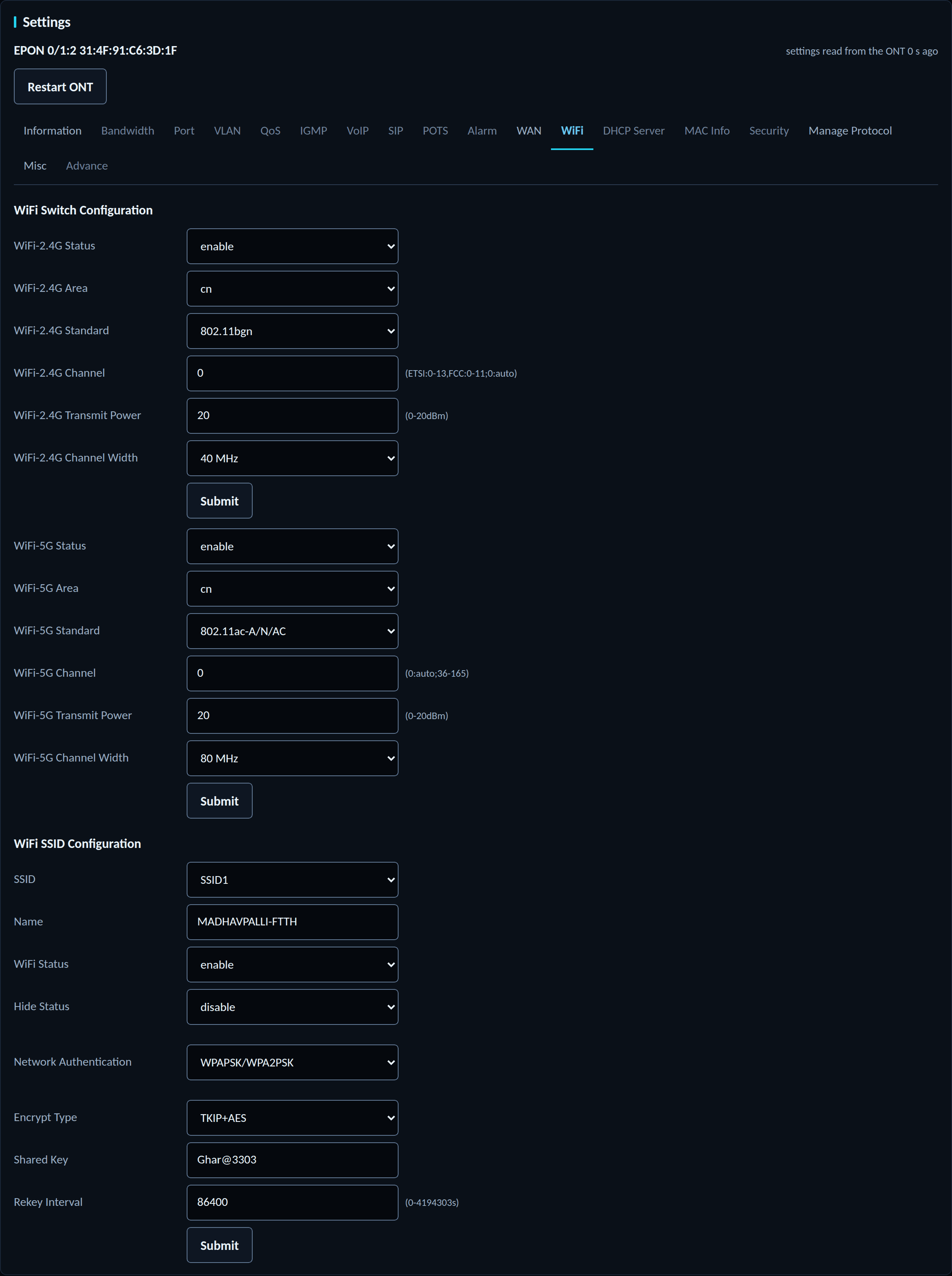
An ONT's WiFi tab: 2.4 GHz and 5 GHz radio settings, and the SSID form with name, security, encryption and shared key
WiFi name and password. Both radios, every SSID, security type and shared key. NetOps reads the settings back from the ONT after each change.

Changes work only on OLTs where you have switched them on, and each one names exactly what will change before you confirm.

In the field

The whole network in your pocket.

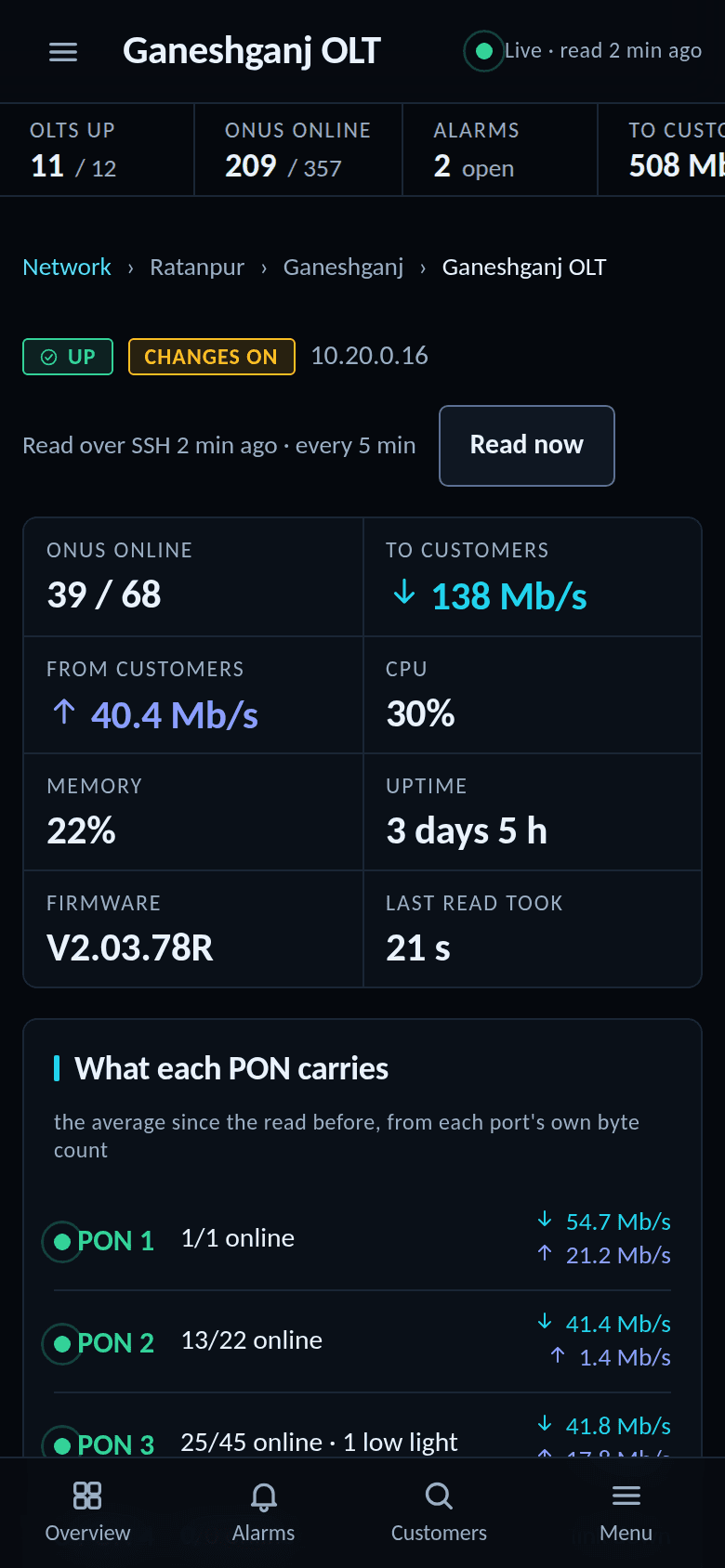
Every screen works one-handed on a phone, so the engineer at the splice and the owner at home see the same live picture. The private Android app opens the same console.

  • Read an OLT or ONT now, from wherever you are
  • Find a customer’s ONT by name, MAC or village
  • Down ONTs and alarms one tap from the dock
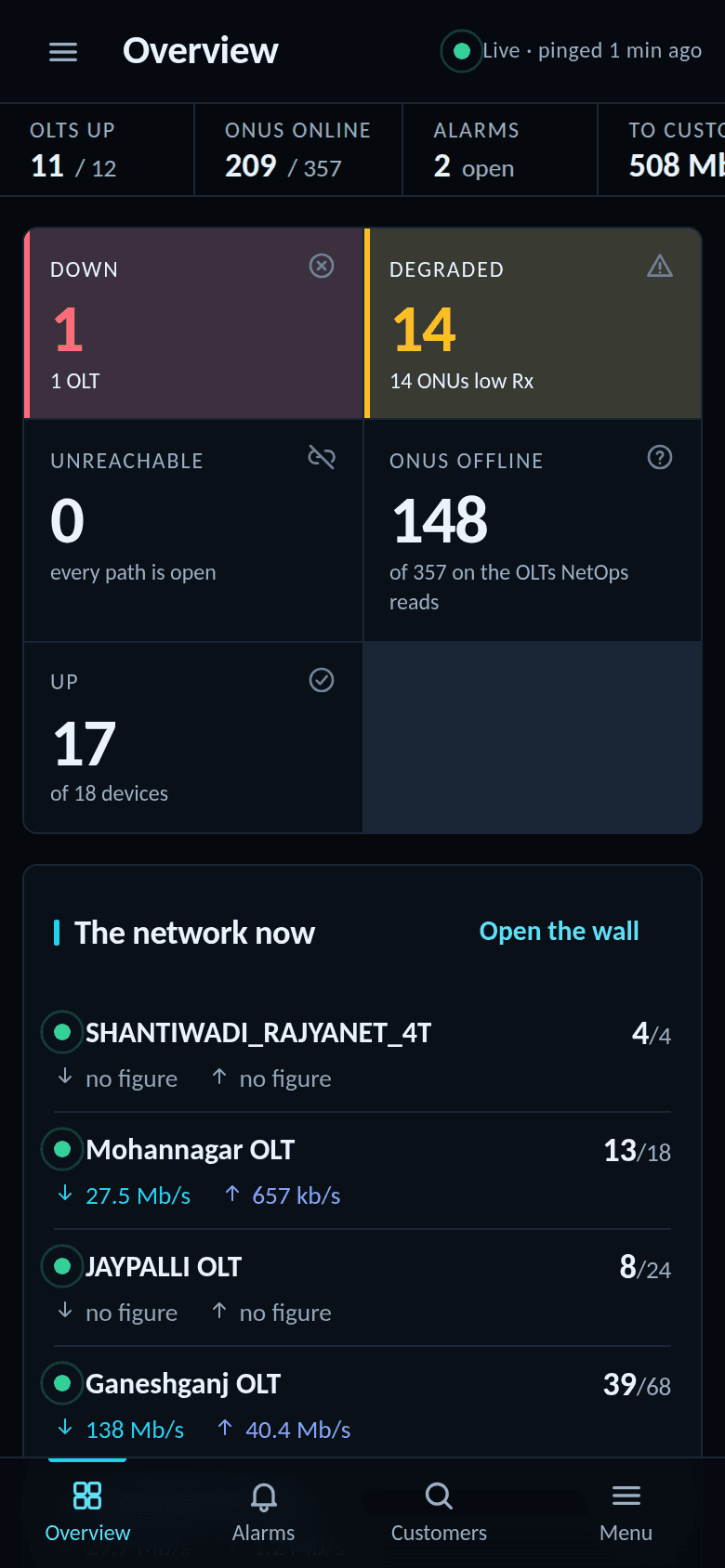
NetOps overview on a phone: down, degraded, unreachable and offline counts and the network now
An OLT’s page on a phone: online ONUs, traffic, CPU, memory, uptime and what each PON carries
  • Signed in with 2-step codes

    Password plus authenticator code, and an append-only audit log of every action.

  • Nightly OLT backups

    Every OLT’s configuration saved and sealed each night, with an encrypted copy kept off the server.

  • Phone-first, with an Android app

    Every screen works one-handed on a 360 px phone; the private Android app opens the same console.

Run an FTTH network? See NetOps on yours.

Tell us your OLT makes and how many ONTs you run. We will show NetOps on a live network and check your firmware.